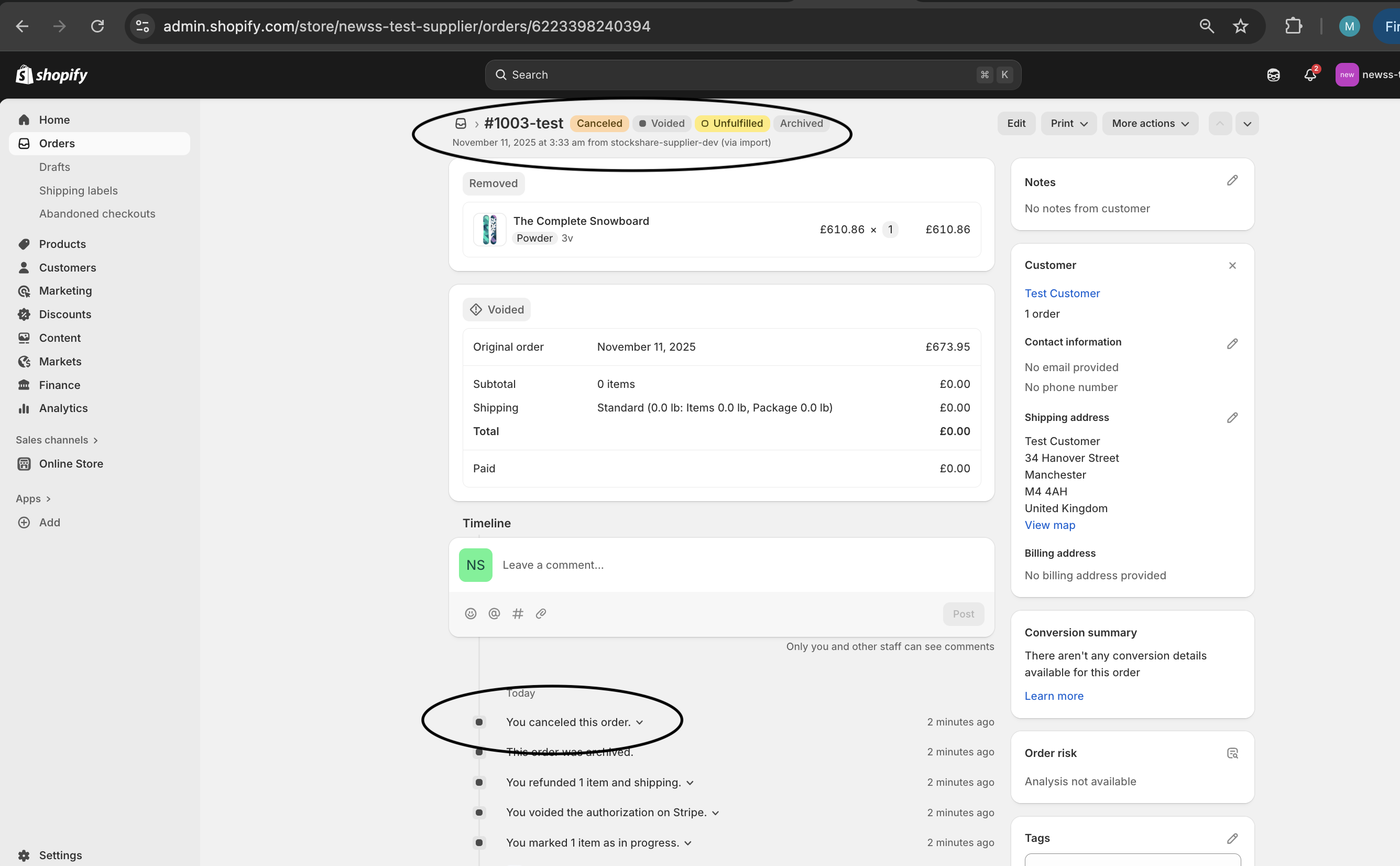
Suppliers can cancel or decline a StockShare order directly within their Shopify admin. As per normal order cancellations in Shopify, click into the order and click "cancel". It should then show a "cancelled" tag next to the order title as seen below:
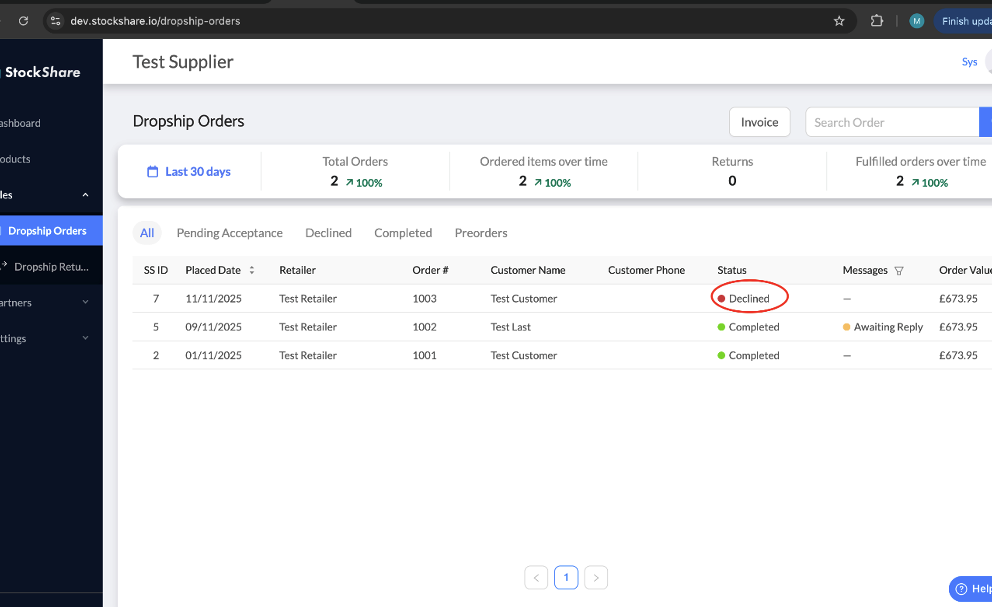
Once declined in the Suppliers Shopify portal, StockShare is automatically updated and the order will say "declined":
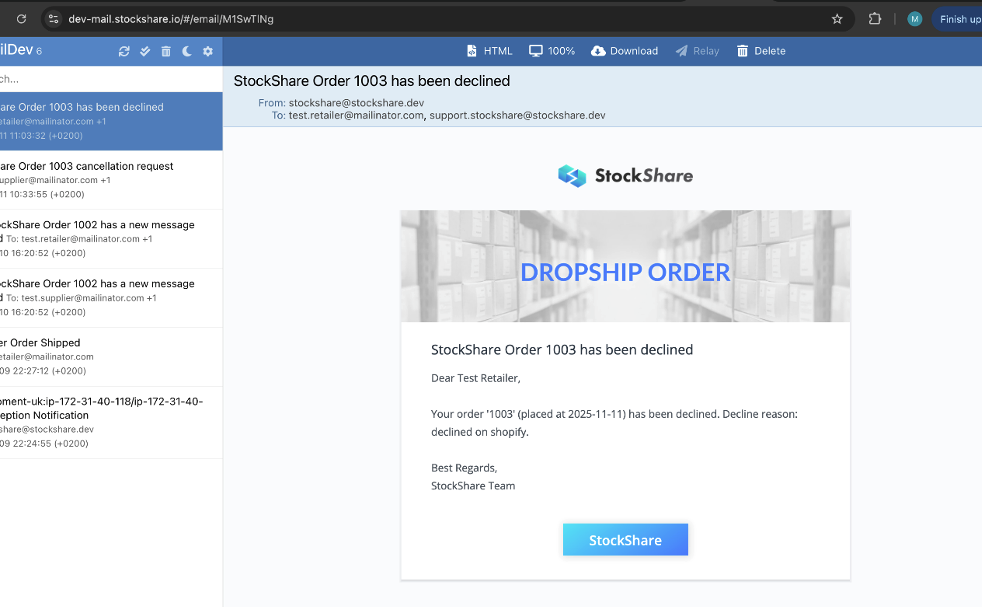
Consequently, an email is sent to the Retailer alerting them of this cancellation:
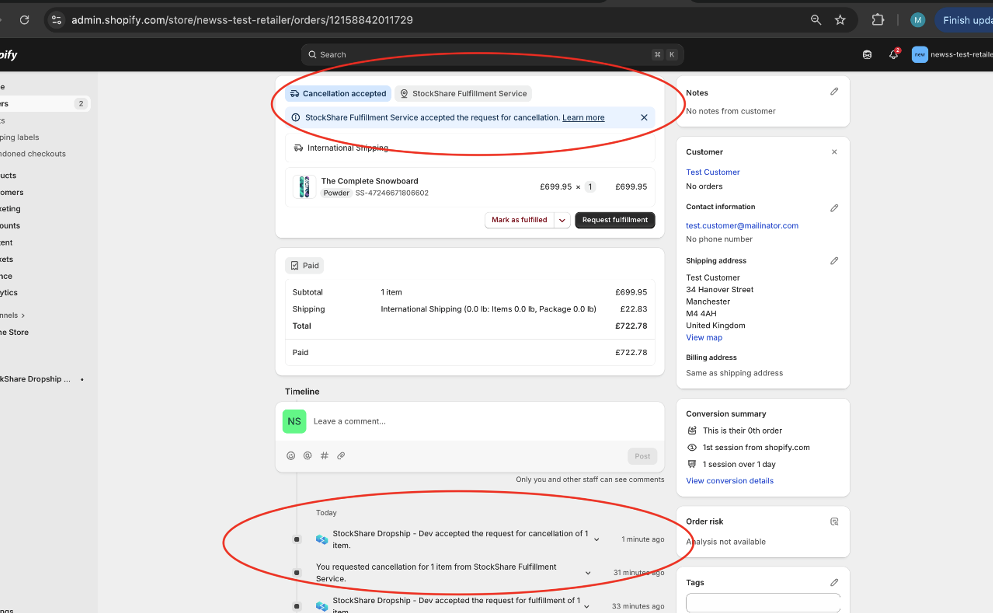
The retailer can then accept the cancellation request in their Shopify portal and proceed to refund the customer as per normal refund processes in Shopify.
Was this article helpful?
That’s Great!
Thank you for your feedback
Sorry! We couldn't be helpful
Thank you for your feedback
Feedback sent
We appreciate your effort and will try to fix the article