We are currently in the process of finalising our Supplier App in Shopify with new features. In the interim, please follow these steps to get integrated.
1. Set up StockShare account as a Supplier here.
2. Once set up, login via your browser and explore the settings, including Stripe connection.
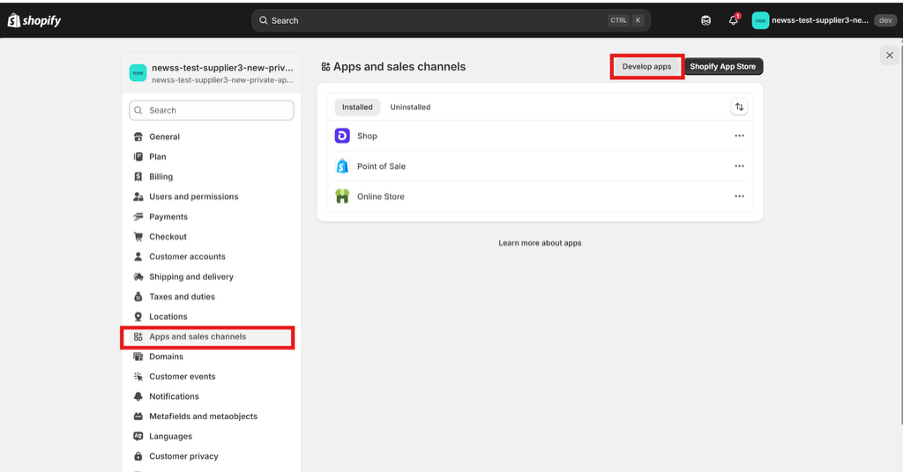
3. Then login to Shopify, go to Settings -> Apps and sales channels -> Develop apps:
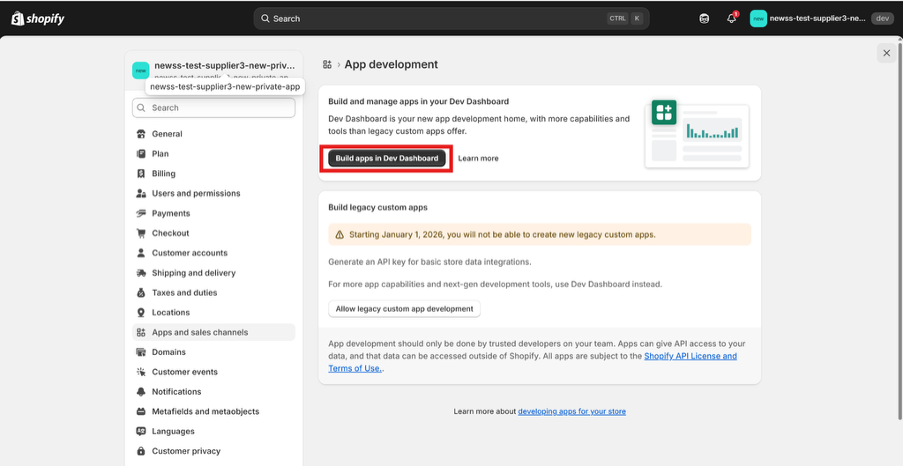
4. Click on “Build apps in Dev Dashboard”:
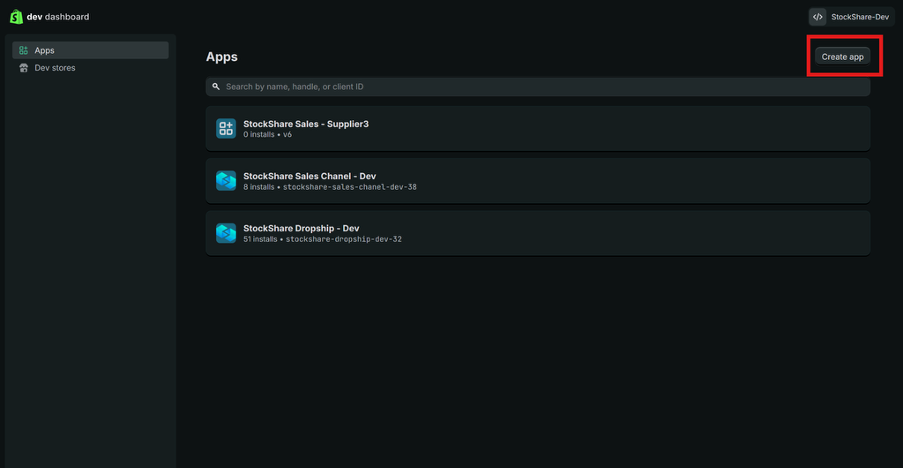
5. Click on “Create app”
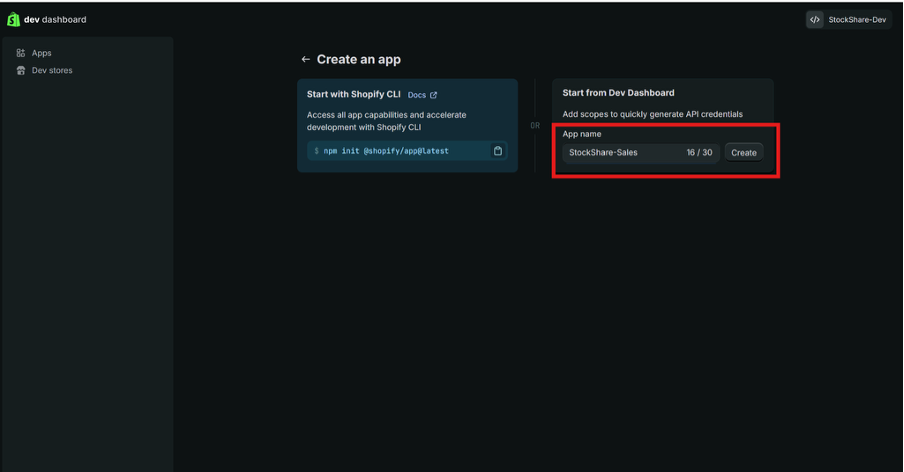
6. Type the app name “StockShare-Sales” and click “Create” button:
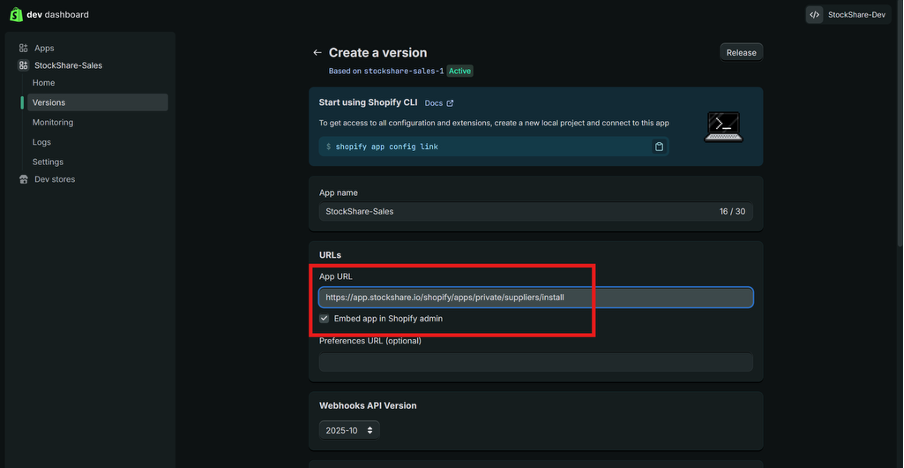
7. Enter app Url and ensure “Embed app in Shopify admin” is ticked:
- app url: “https://app.stockshare.io/shopify/apps/private/suppliers/install”
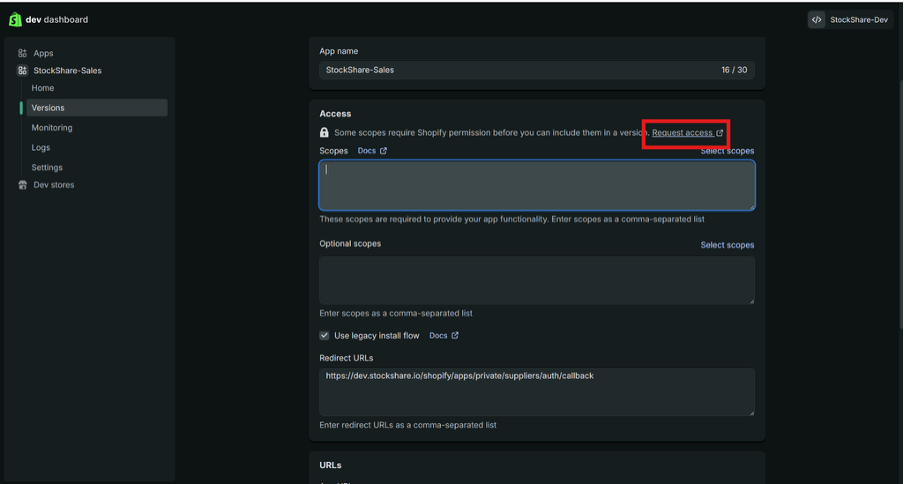
8. Click “Request access” link on the Access panel:
*If you cannot see a "Request access" link, please skip and scroll down to step 13. It will not affect your integration. Certain Shopify stores do not require this.
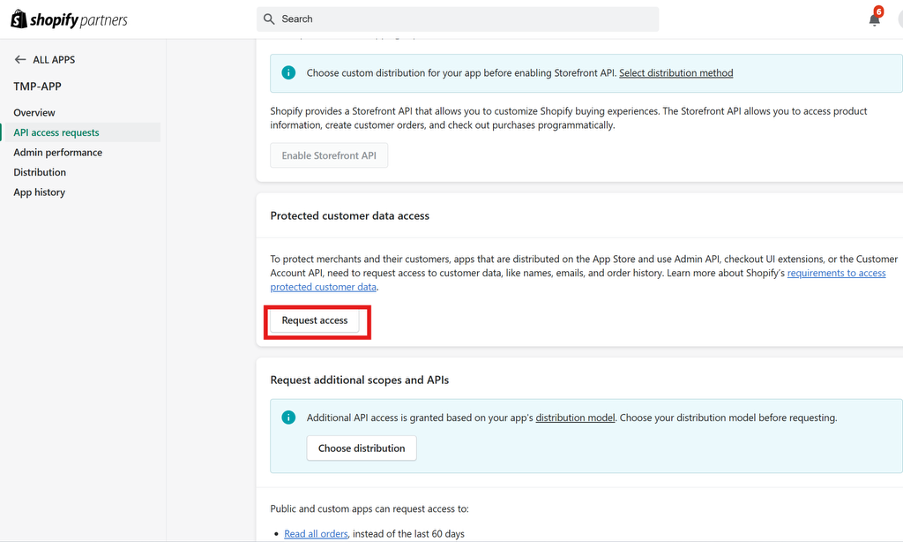
9. Scroll to “Protected customer data access” and click “Request Access” button:
*We need to ask Shopify for this information otherwise an order cannot be placed.
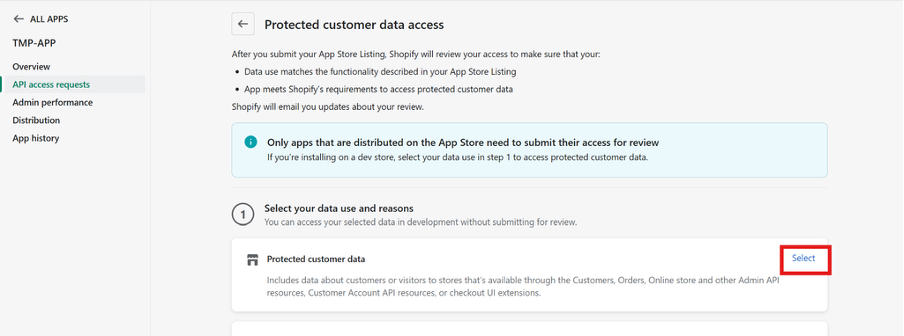
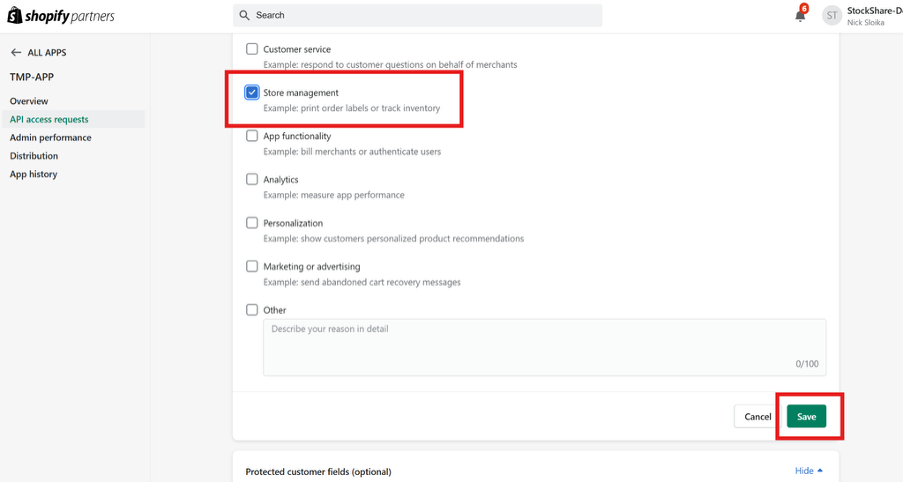
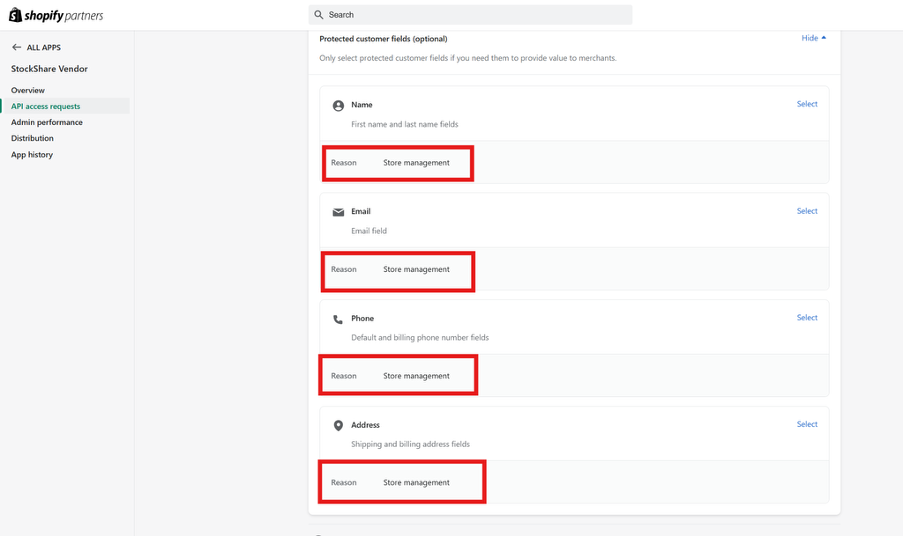
10. Repeat the same for Name, Email, Phone, and Address:
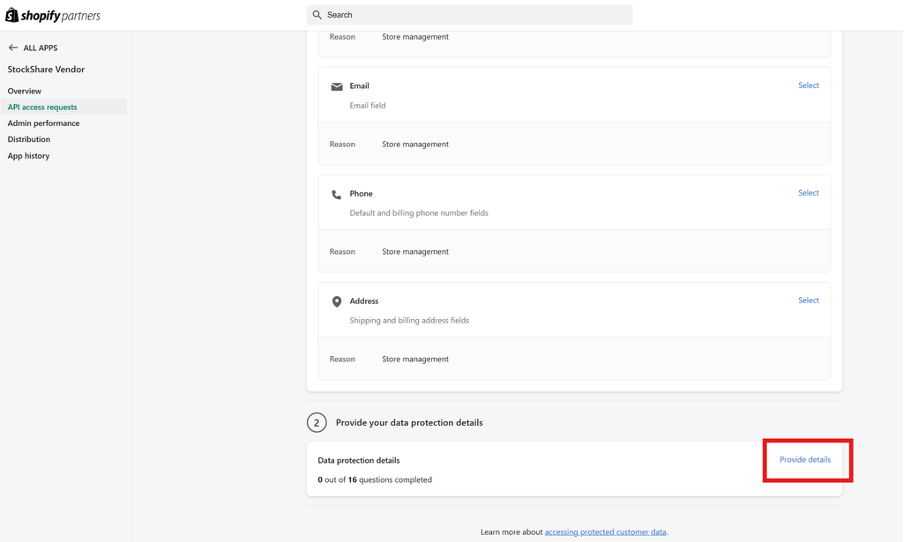
11. Click on the Provide Details button:
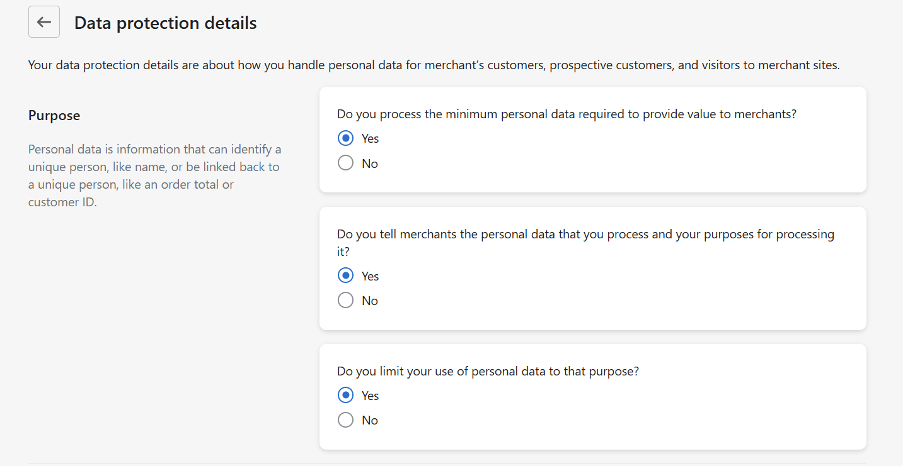
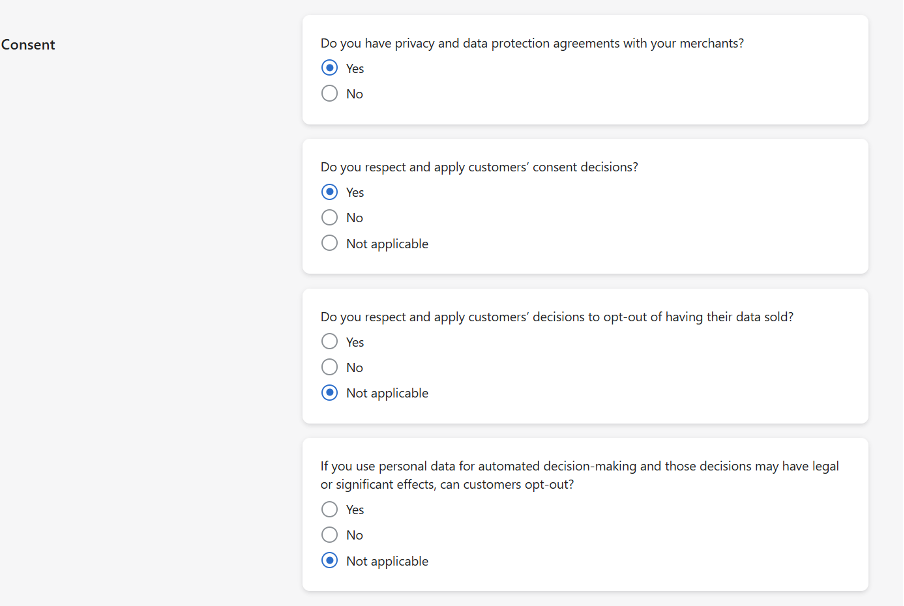
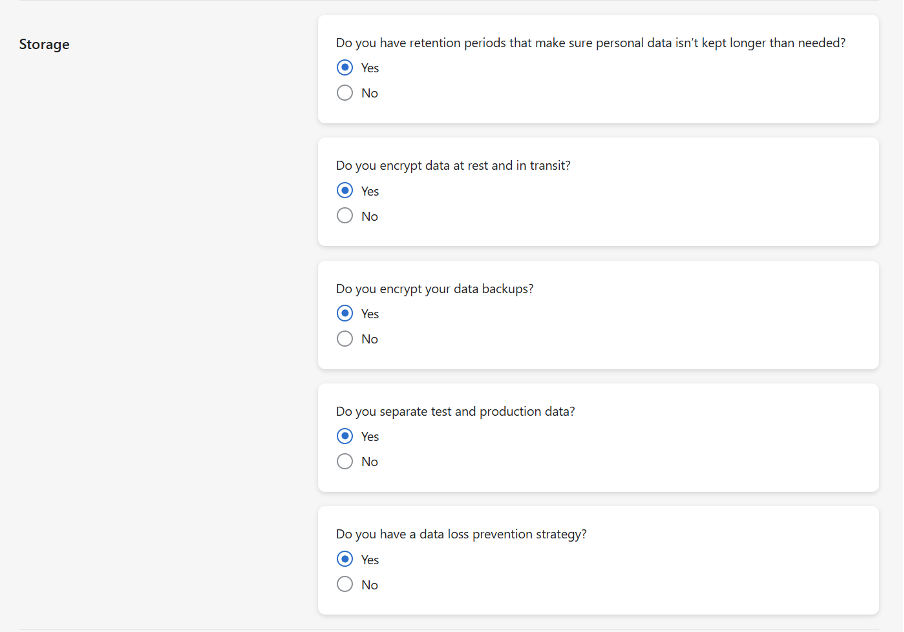
12. Provide the following answers and click Save button:
*If we don’t receive this data information, we cannot pass through an order. The customer credit card will stay with Shopify and never transfer to StockShare which creates a stoppage. We require just enough detail to fulfil an order. More on our privacy policy here.
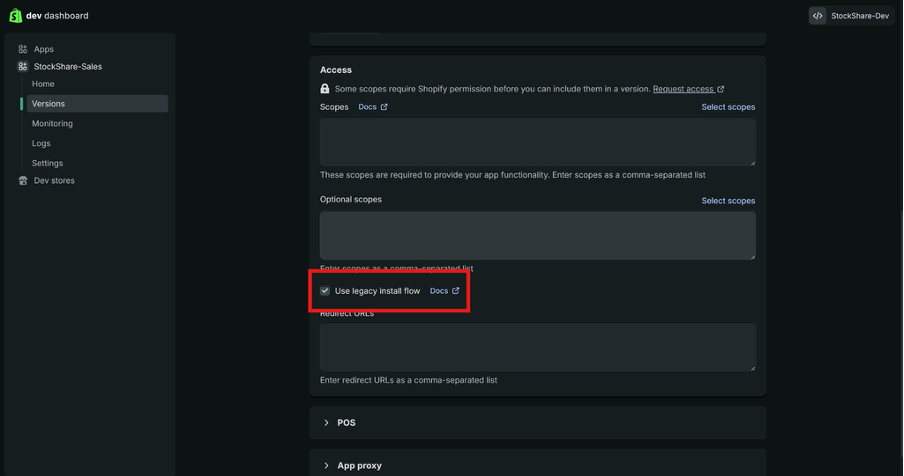
13. Go back to Dev dashboard, and tick “Use legacy install flow” checkbox:
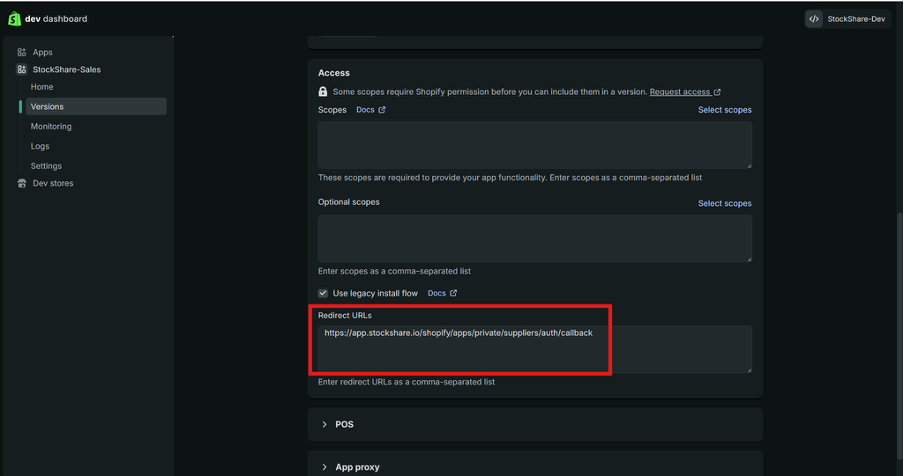
14. Entere “Redirect URLs”:
https://app.stockshare.io/shopify/apps/private/suppliers/auth/callback
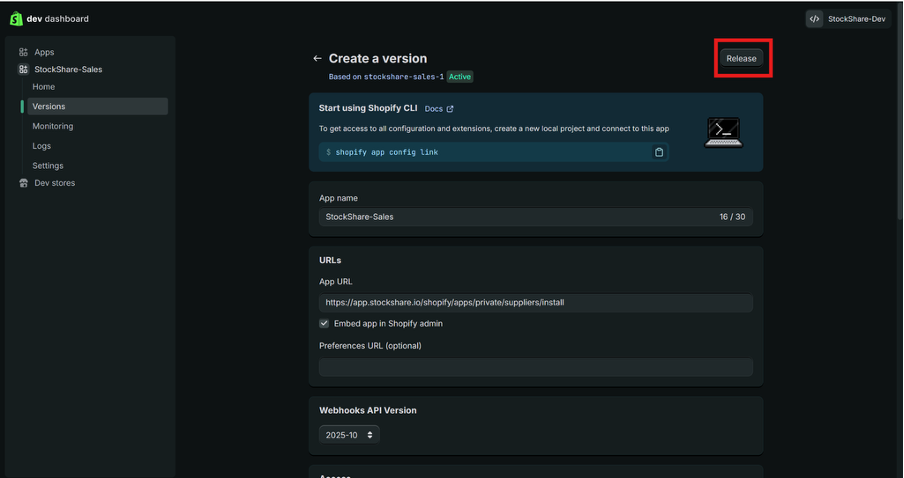
15. Click “Release” button:
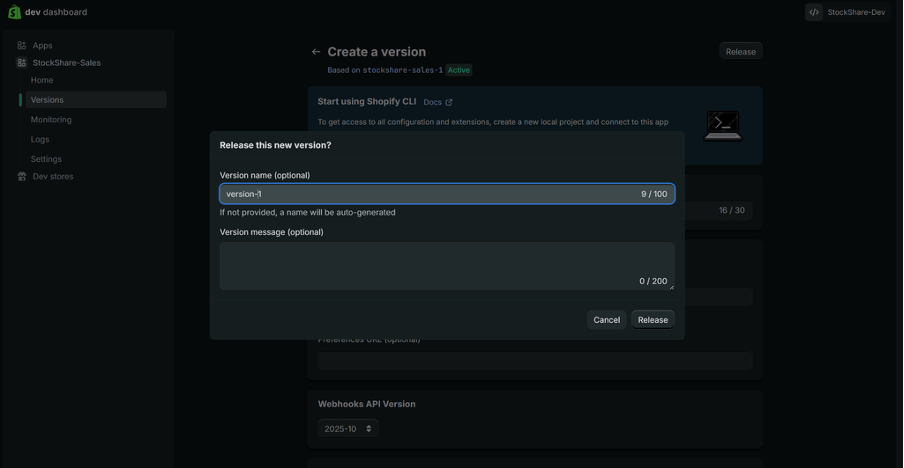
16. Enter app version name:
StockShare-Sales
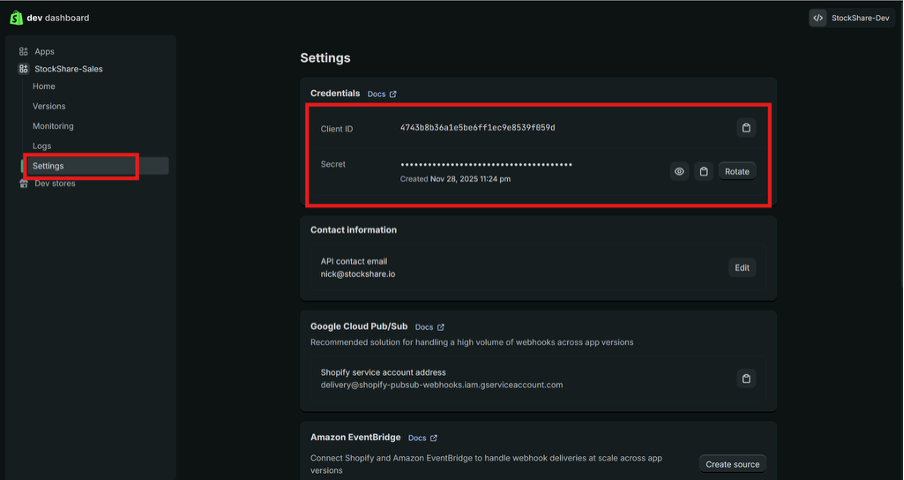
17. Go to “Settings” and copy “Client ID” and “Secret” (these need to be copy-pasted to the StockShare admin):
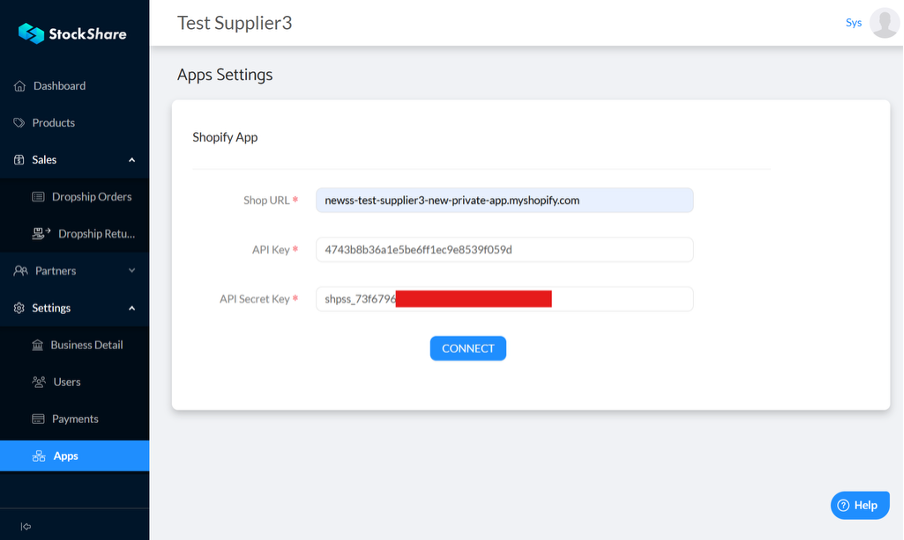
18. Go to StockShare admin -> Settings -> App,
- Fill in your shop domain ({your-domain-here}.myshopify.com) – this is in settings in shopify.
- Paste Client ID into Api Key field
- Paste Secret into API Secret Key
- Click “Connect” button
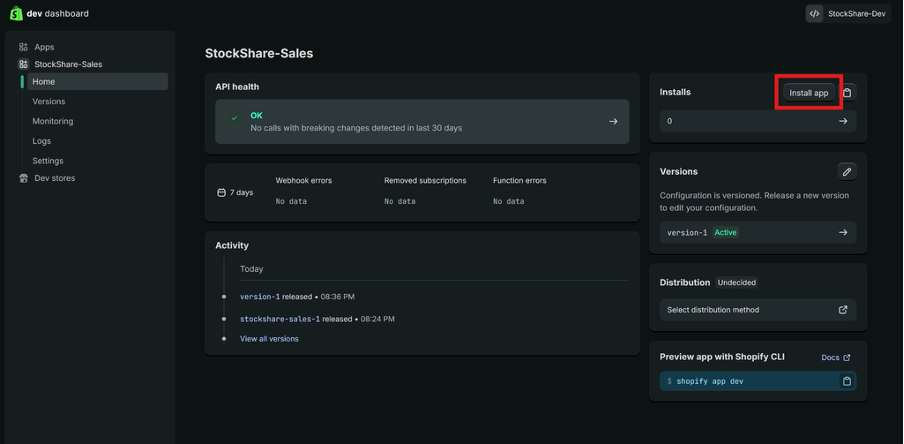
19. Go back to Shopify Dev Dashboard, open the app and click on “Install app” button:
The name of the app should be: StockShare-Sales
Stripe connection:
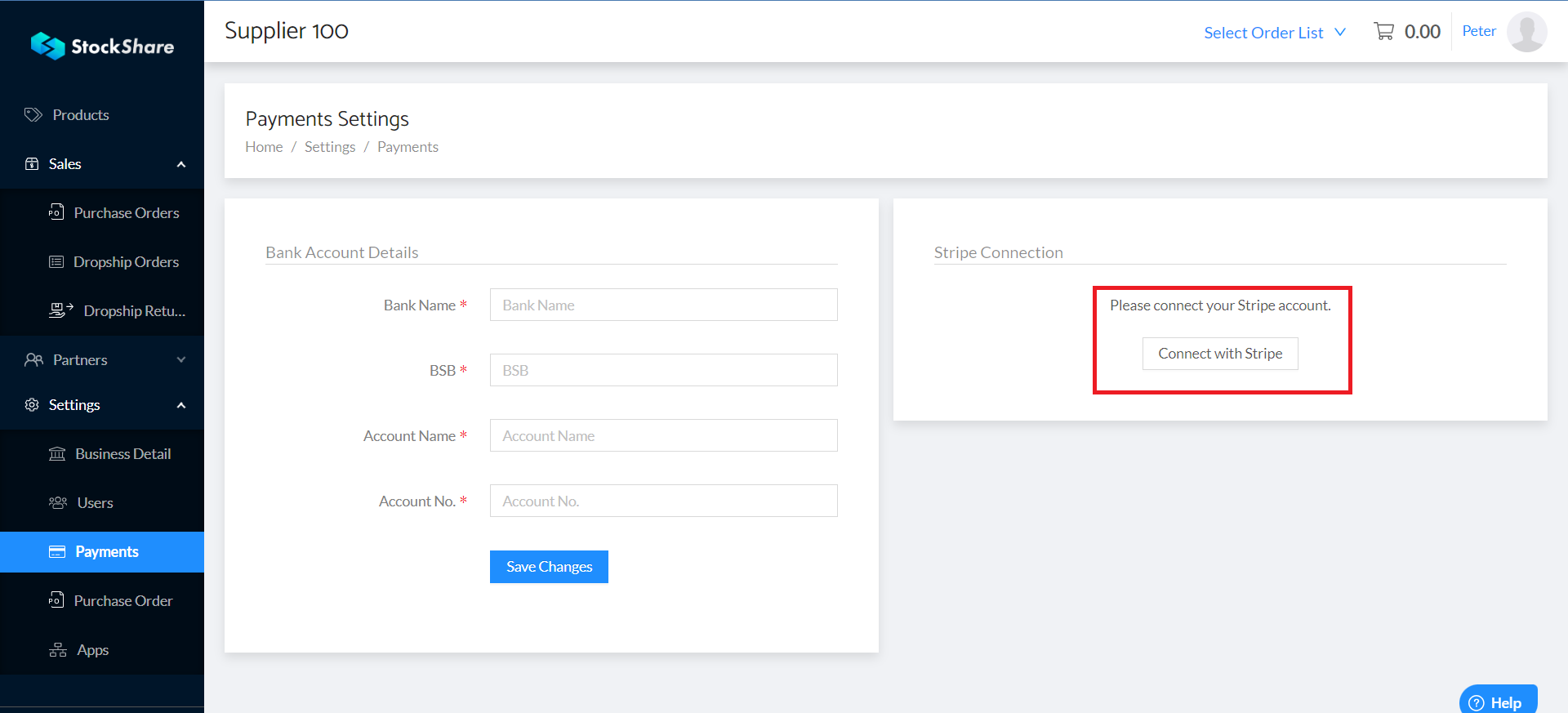
*Stockshare uses Stripe as a payment gateway to distribute the funds.
- Log in to the StockShare account;
- Press “Settings” from the left menu bar;
- Choose “Payments” from the dropdown menu;
- Press “Connect with Stripe”
20. Provide the requested information on the Stripe platform.
17. To ensure refunds can be processed for transactions that take place on your StockShare account, it is necessary to establish a minimum balance threshold on your Stripe account for $500. This will allow StockShare to debit your account for refunds that have been completed and approved by your in your StockShare portal. For more information on Stripe, click here.
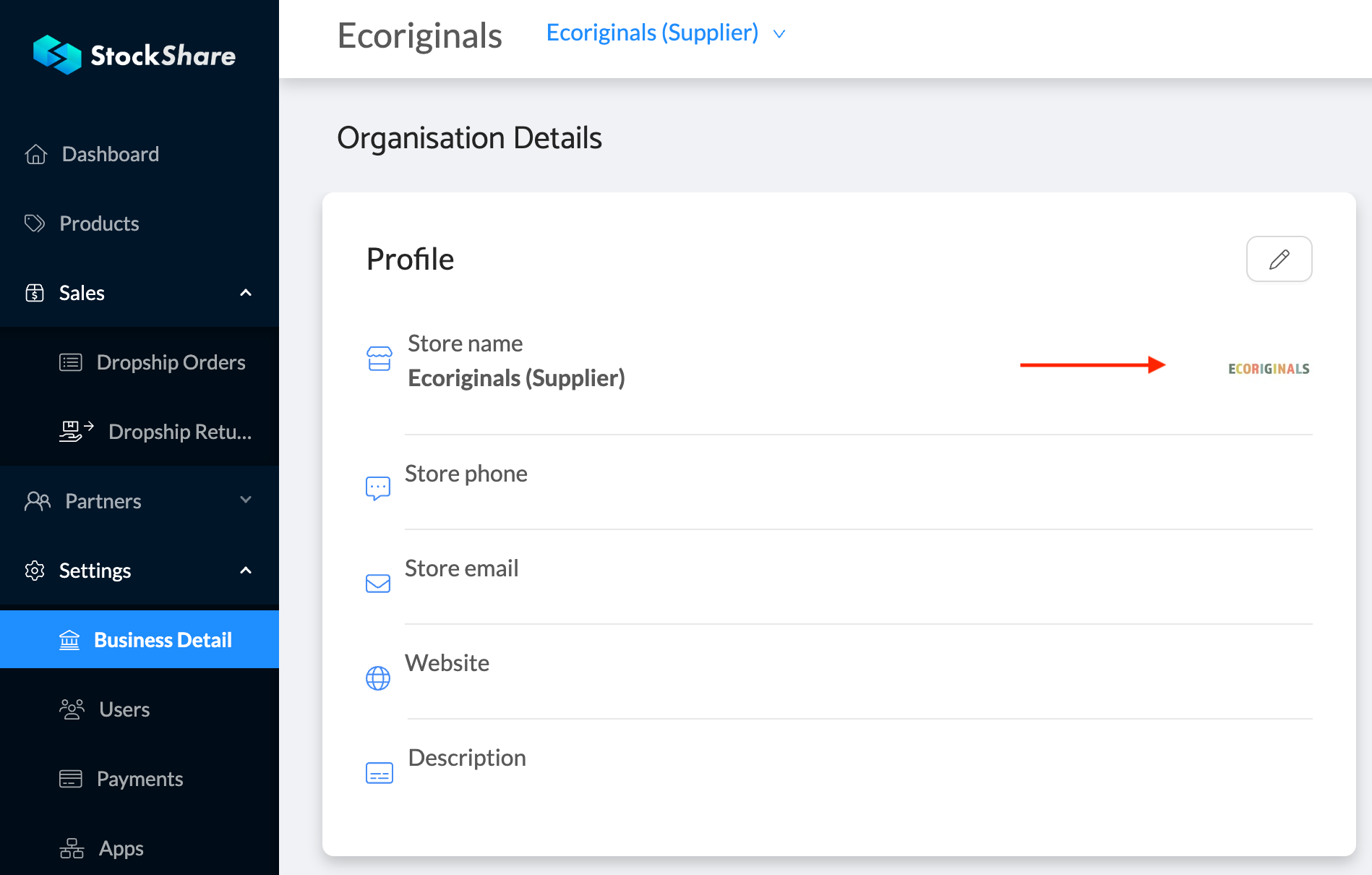
21. Update your Business Details and insert your business logo:
Was this article helpful?
That’s Great!
Thank you for your feedback
Sorry! We couldn't be helpful
Thank you for your feedback
Feedback sent
We appreciate your effort and will try to fix the article