Promotions For Retailers
As a retailer you have the following options for participating in promotions around Supplier products:
- Price change on Shopify Storefront - Via acceptance of the RRP price change associated with the promotion product. This would update the StockShare feed to your Shopify store for the agreed promotion period and the relevant commission % would calculate off the new promotion price.
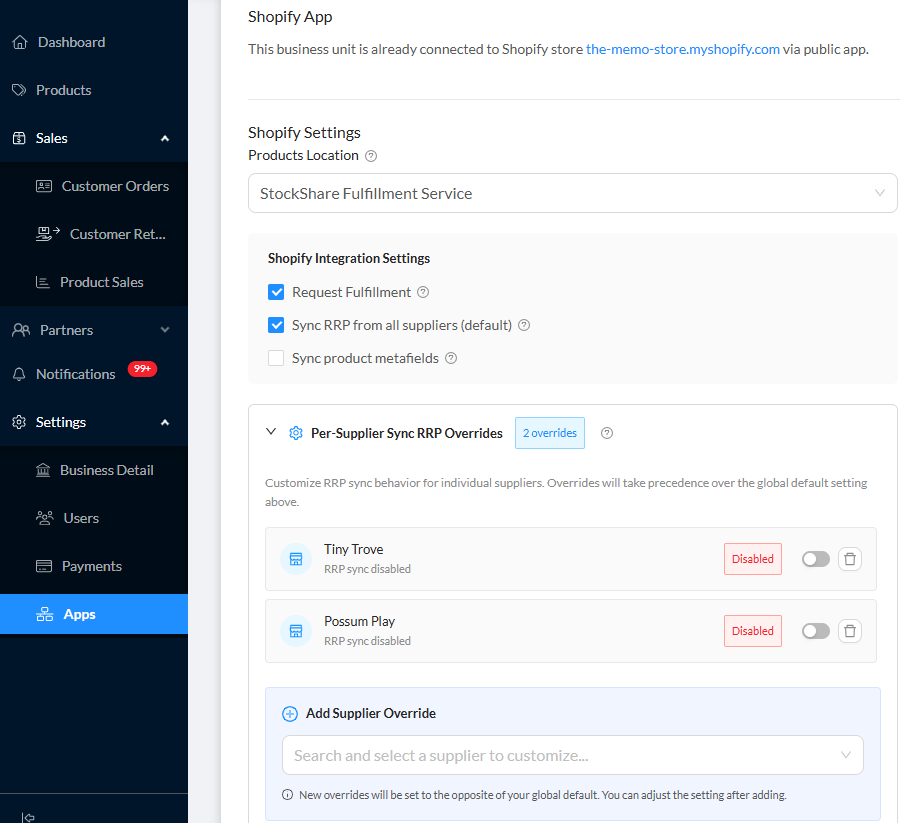
- No price change on Shopify Storefront – If you elect to run a promotion code strategy on your Shopify storefront as opposed to RRP price changes on your store, you must elect to disable RRP sync for the relevant supplier (as per below). This will allow for the standard RRP to remain for the Suppliers products, however for you as a retailer to benefit from the commission on the promotion product.
Process:
Reach out to connected Supplier to request a promotion period and discount.
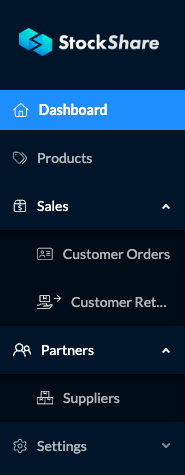
1. Suppliers can be messaged from the “Suppliers” tab on the left menu under "Partners":
2. Once you locate the desired supplier you would like to message, click on their name and you will see their full profile here:
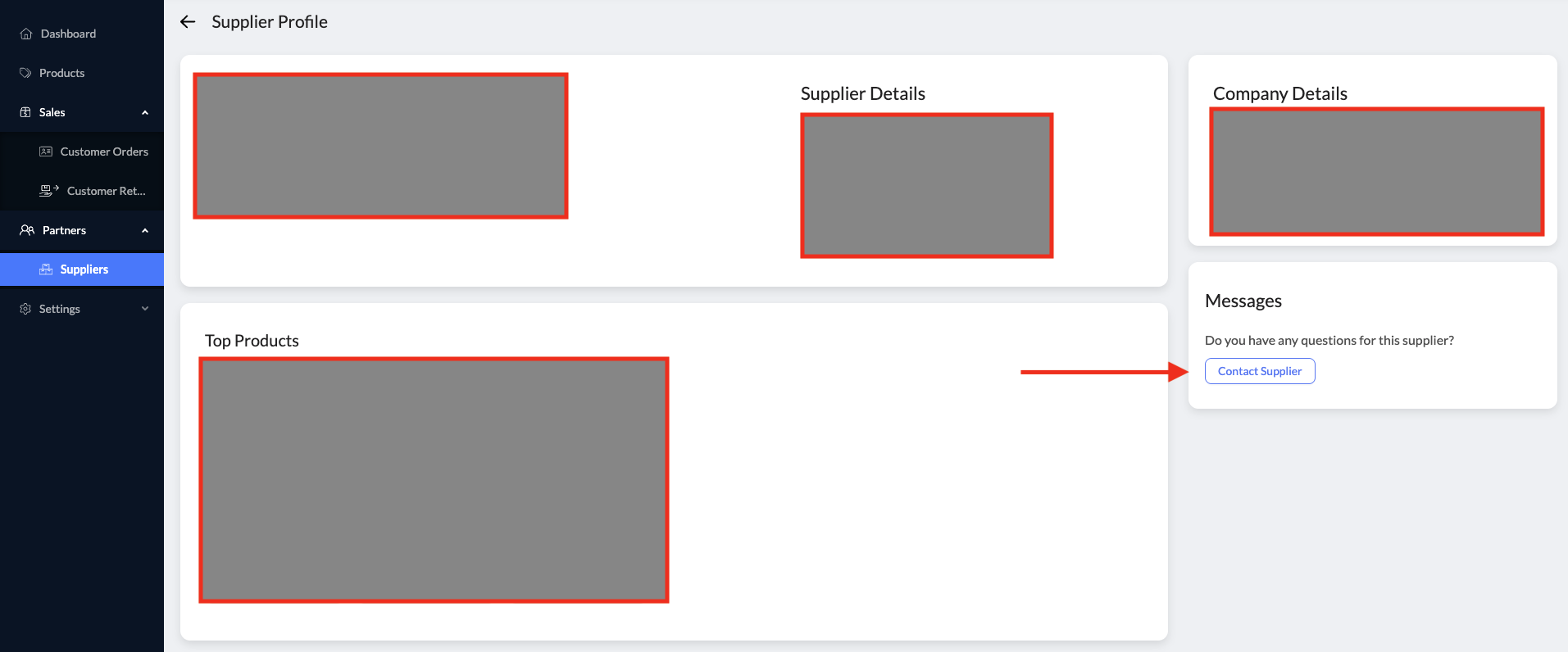
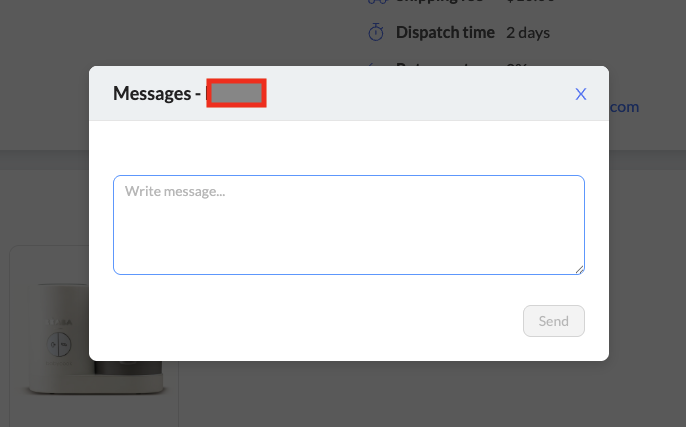
3. Click on "Contact Supplier" and you will be able to message them regarding the potential promotion:
4. Once the Supplier receives the message, they will apply the agreed promotion to the products you requested and publish the Promotion for you to see. This is the Supplier view:
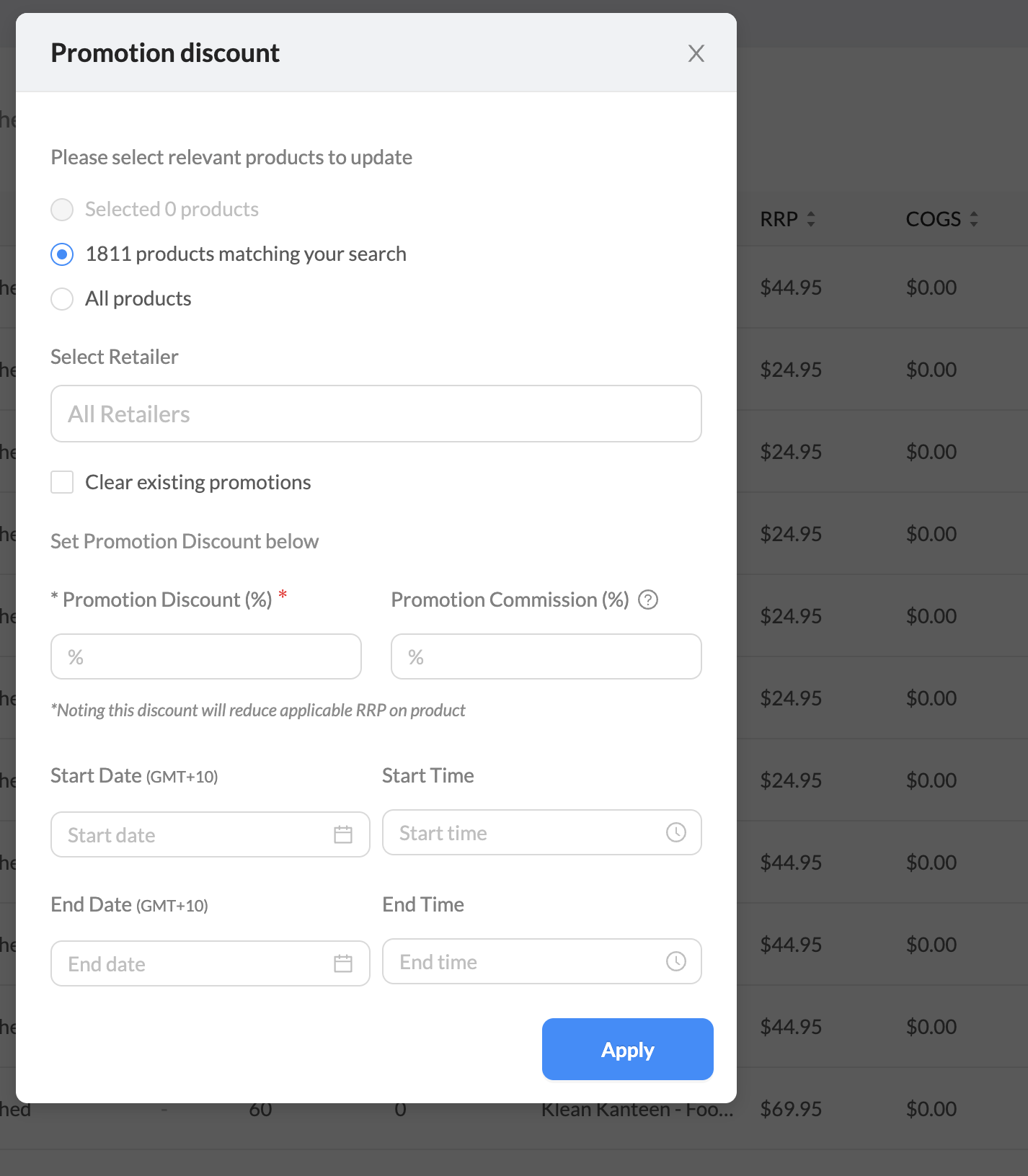
5. Once they select "Apply", it will feed through your (Retailer) StockShare as a Notification. You will also receive email notifiations of the Promotion.
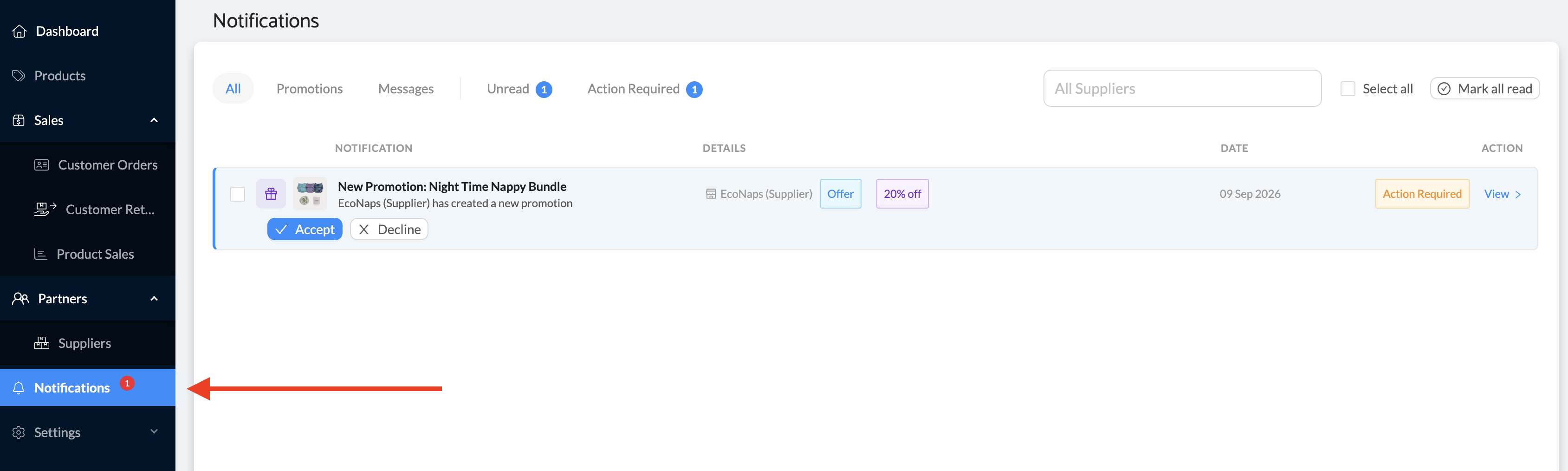
6. Accept or Decline the Promotion.
Pricing and commission
Once a Supplier confirms products and agreed discount for a promotion, new pricing will be pushed to your StockShare portal and update your Shopify store on the selected promotion start date. The commission paid to Retailers is now calculated off the new Promotion pricing.
You must ensure:
- Sync RRP from Supplier is activated to pass the new pricing to your Shopify Store. This can be found in the “Setting”/ “Apps” menu.
- Alternatively If you are running a promotion based on a discount code you must ensure Sync RRP from supplier is “disabled”
- More information here.
When the promotion period ends the RRP of the products on promotion will revert to the previous non-promotion pricing and the commission will revert to the previous set structure.
Was this article helpful?
That’s Great!
Thank you for your feedback
Sorry! We couldn't be helpful
Thank you for your feedback
Feedback sent
We appreciate your effort and will try to fix the article