Promotions Features
Setting Promotion Pricing
Suppliers can set promotion pricing at either a singular product level or catalogue level.
- Setting promotion pricing at a catalogue level is completed via the list view page on the “Products” tab.
- Select the multiple products you would like to provide promotion pricing for.
- Select the “Actions” dropdown and click “Set Promotions”.
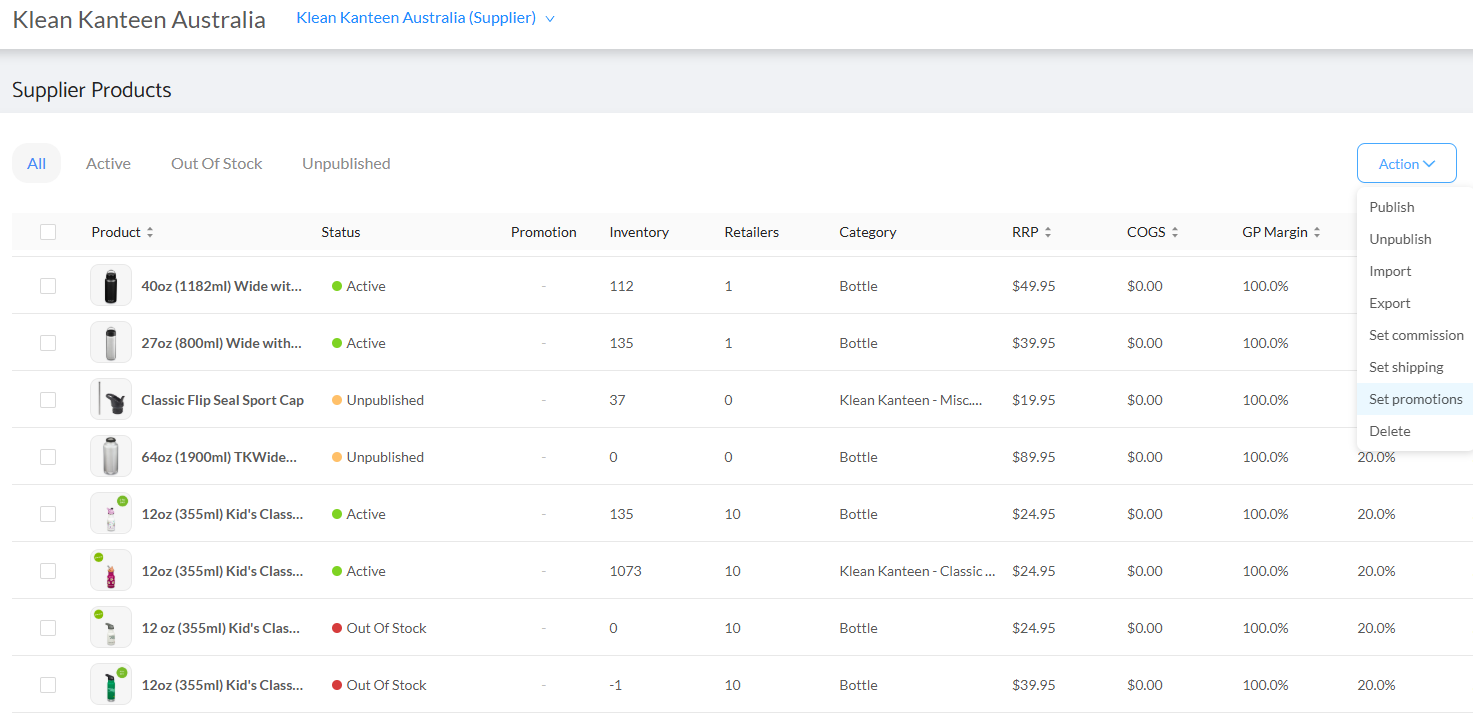
- Confirm the selection of products to push on promotion.
- Select your designated Retailer/s.
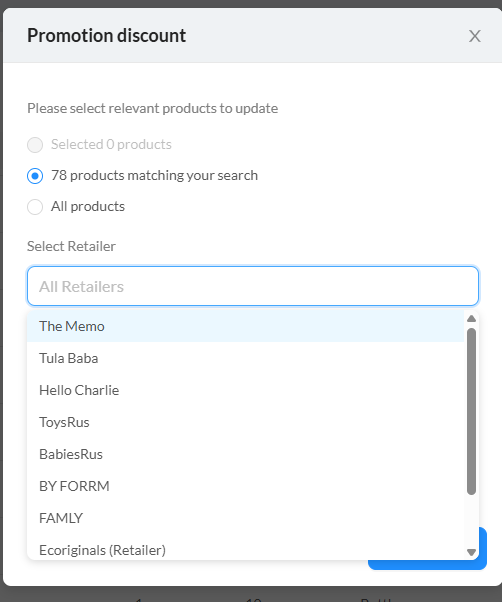
- Apply Promotion discount and period:
*Please note the Commission % remains your default if unchanged.

- The new promotion RRP will now apply to the selected retailers for the period chosen.
- Noting as a supplier you have the ability to set multiple promotion periods for multiple retailers.
- Also note there are no changes required on the Suppliers Shopify store in relation to promotions.
Viewing Products on Promotion
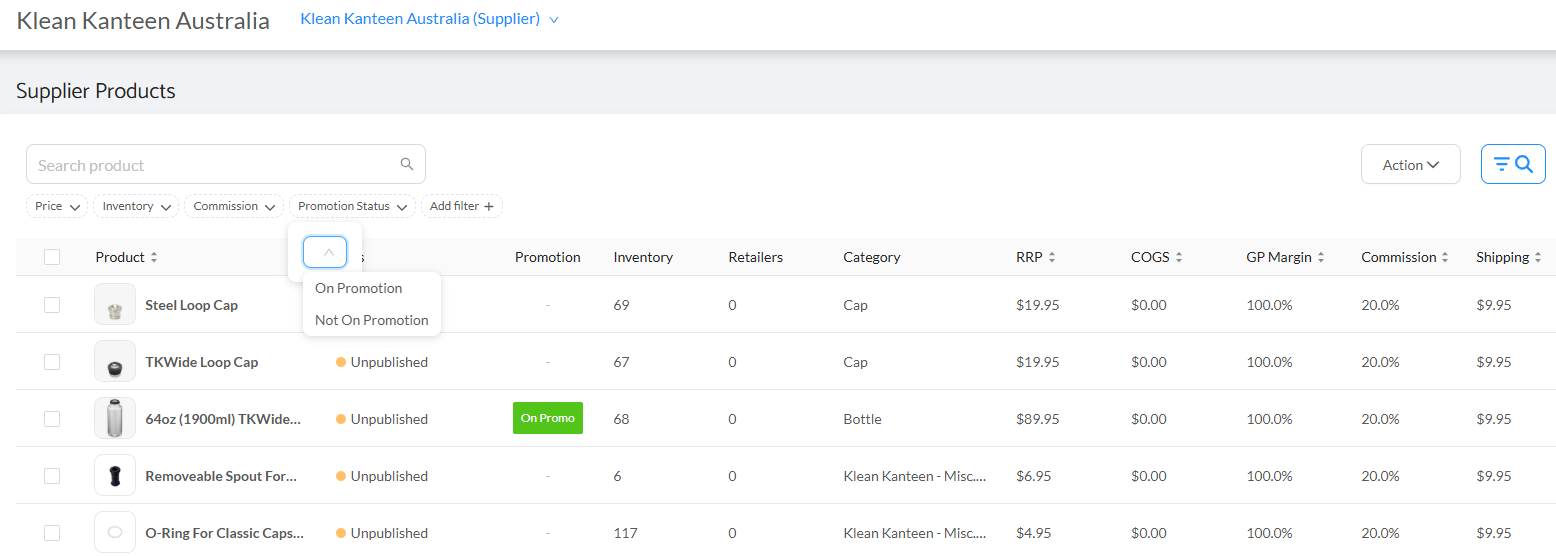
At any time you have the ability to view products on promotion by refining products through the search function on right side of screen, just select the Promotion Status:
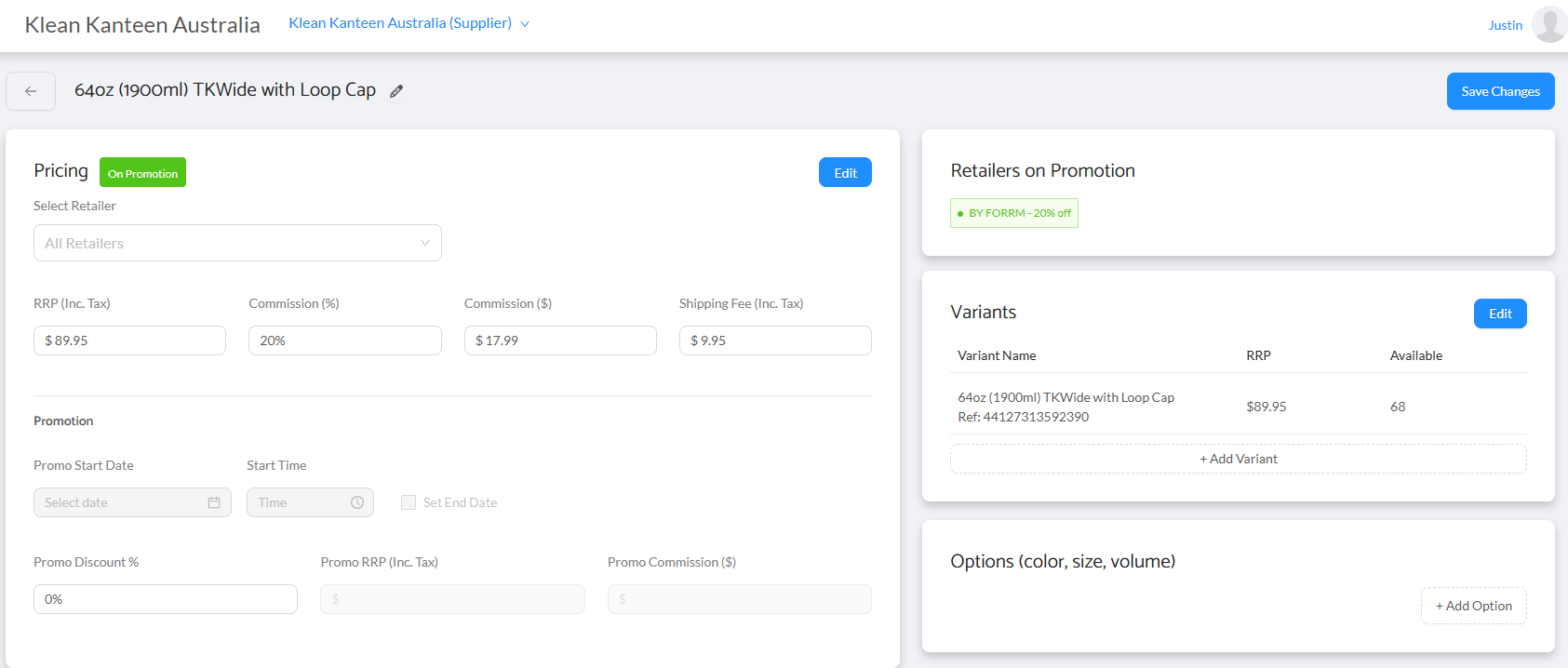
You also have the ability to view which of your Retailers are on promotion with specific products:
Commission Calculation
The commission paid to Retailers is now calculated off the new Promotion pricing. As a supplier you also have the ability to adjust the commission rate applicable for the promotion period.
Was this article helpful?
That’s Great!
Thank you for your feedback
Sorry! We couldn't be helpful
Thank you for your feedback
Feedback sent
We appreciate your effort and will try to fix the article