You can cancel a whole order or you can cancel just one product in an order with multiple products.
Whole order process:
If a retailer wants to cancel an order they have the ability to process the cancellation request to the supplier in their Shopify Store:
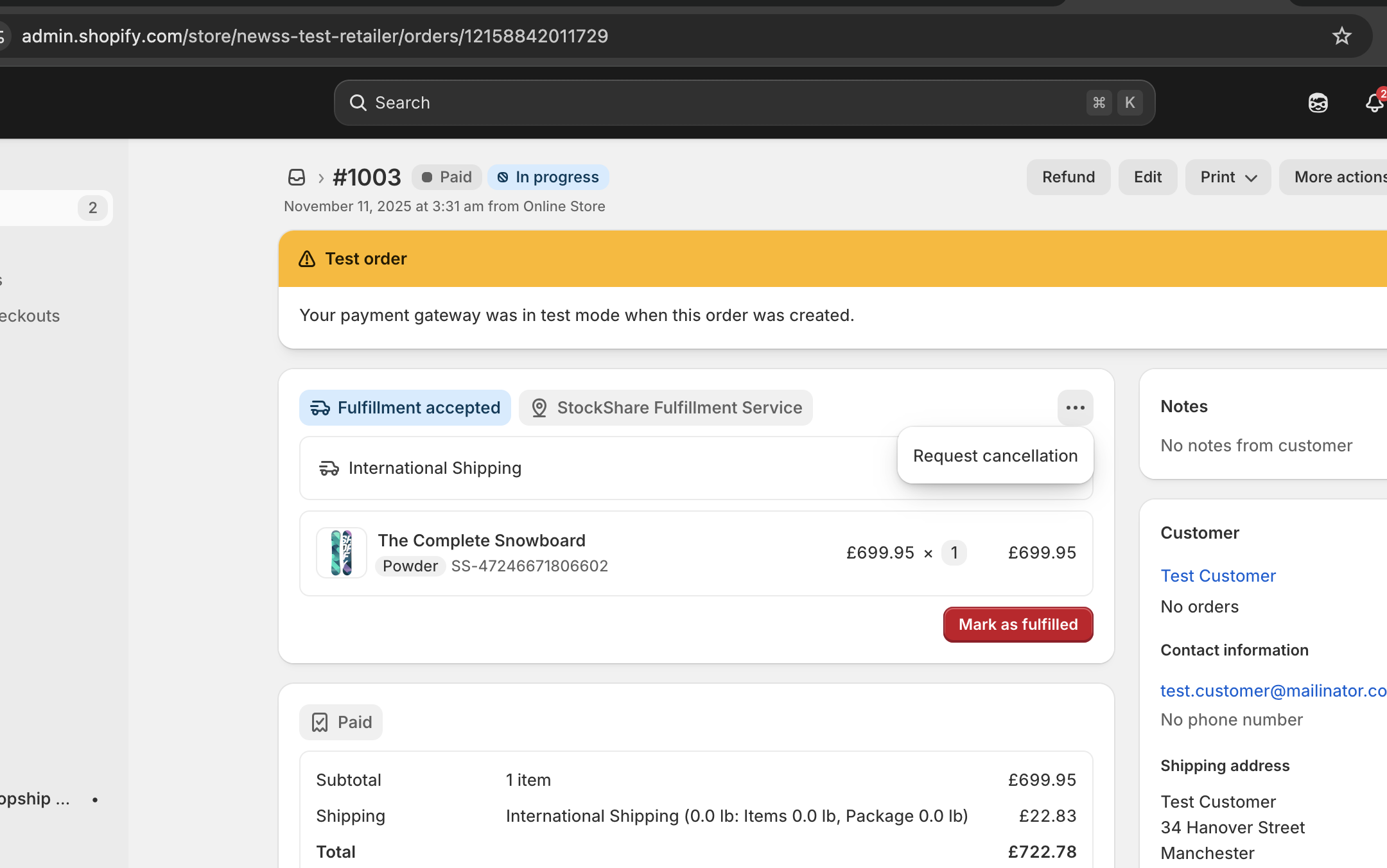
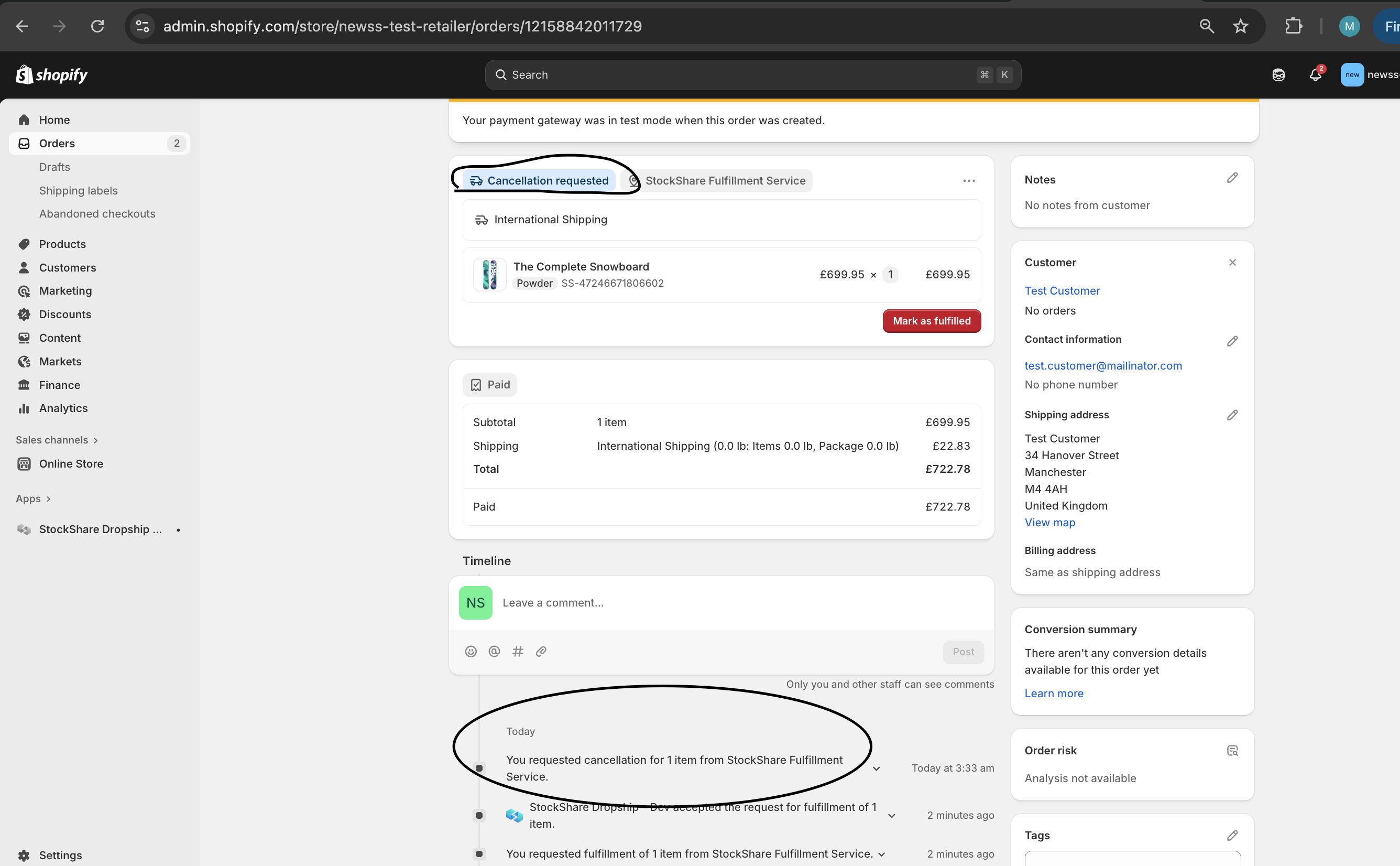
Once “Request cancellation” is selected, an email is sent to the supplier to inform them of the cancellation request. At the same time the retailers Shopify is updated to “Cancellation Requested” status as per below:
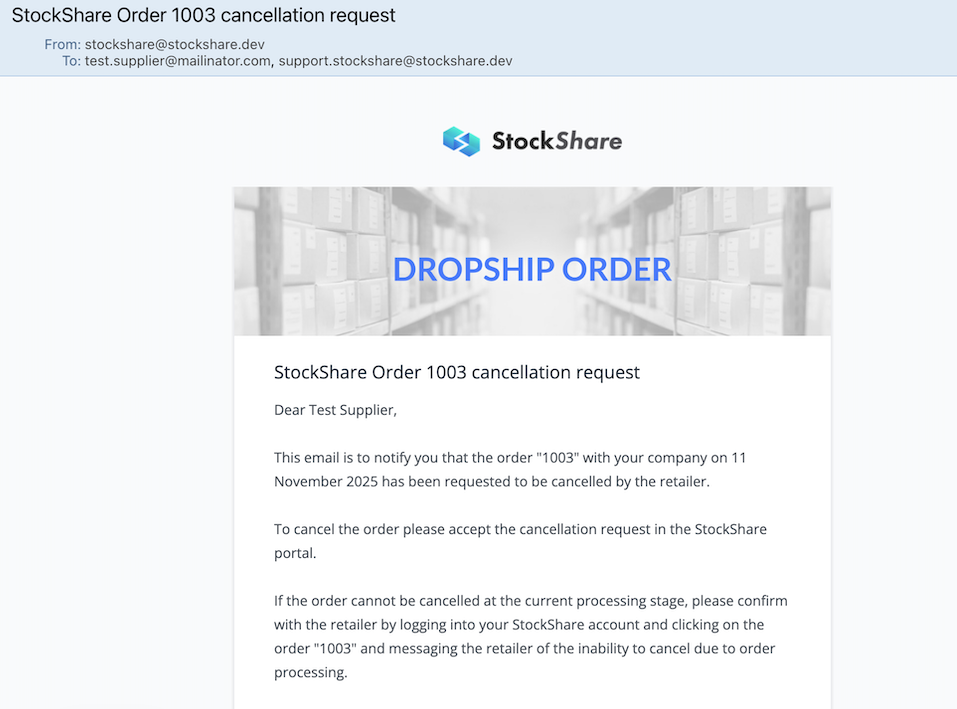
The supplier must then go into Shopify to accept the cancellation request.
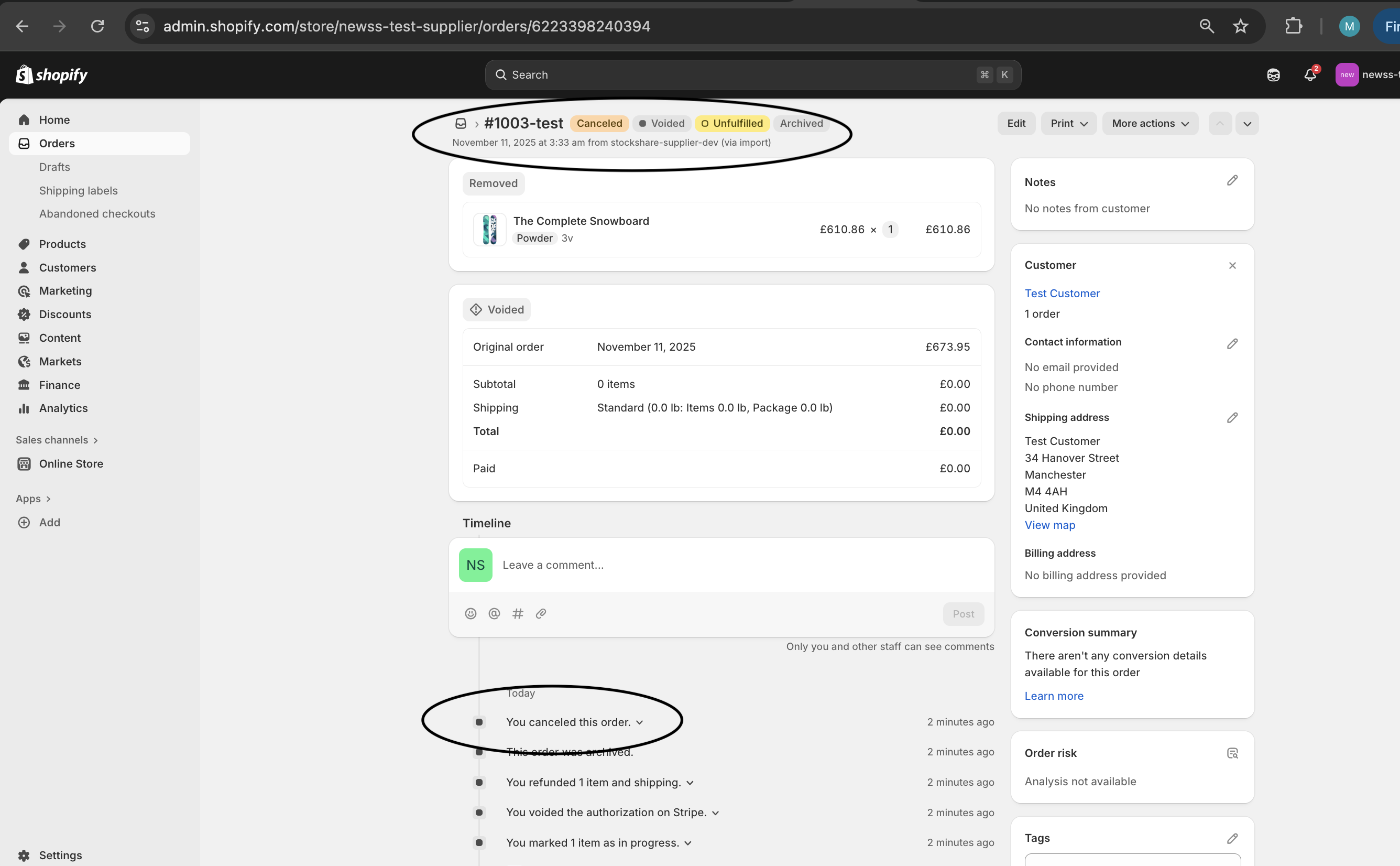
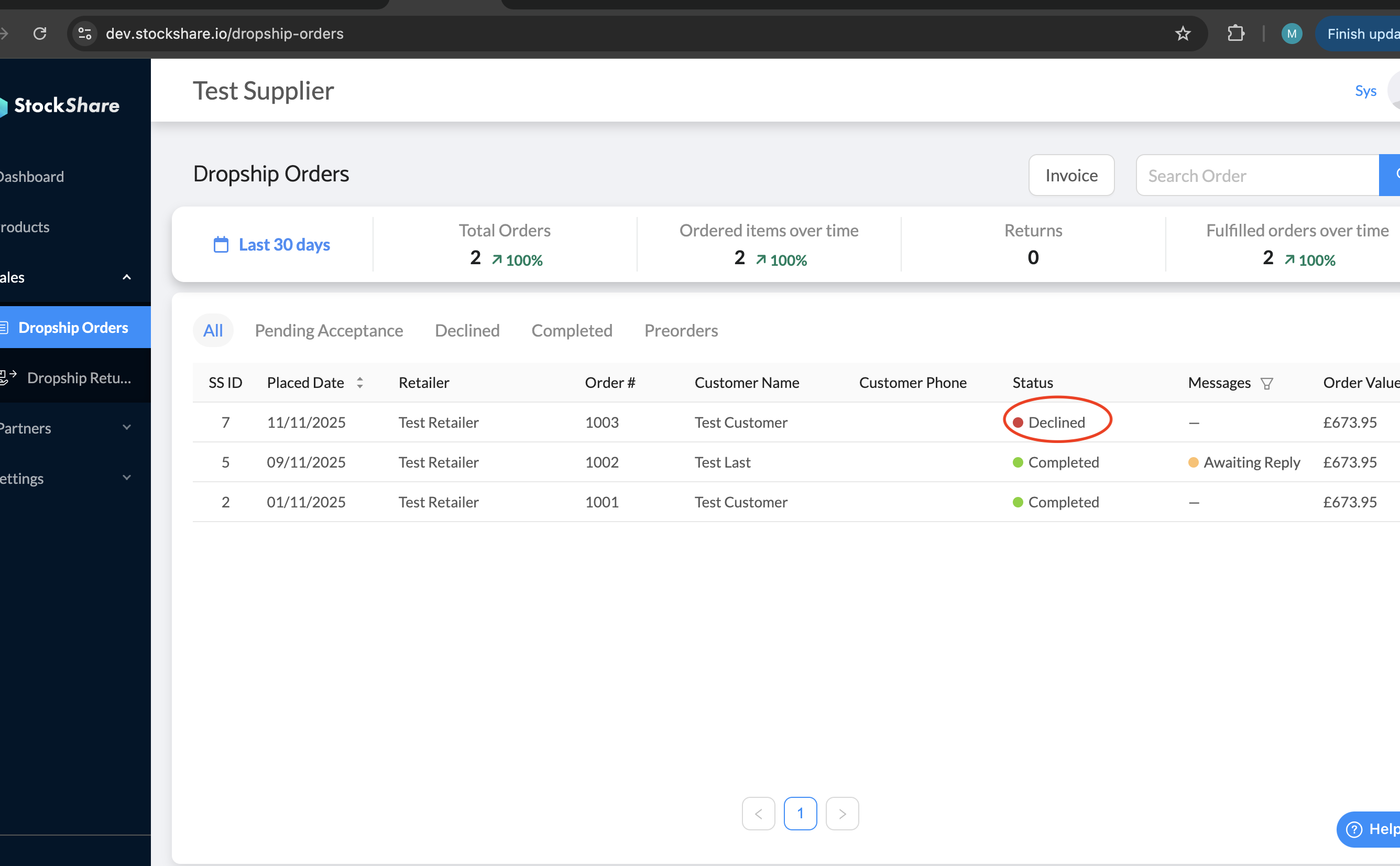
Once the order is cancelled in the suppliers Shopify portal, StockShare is automatically updated.
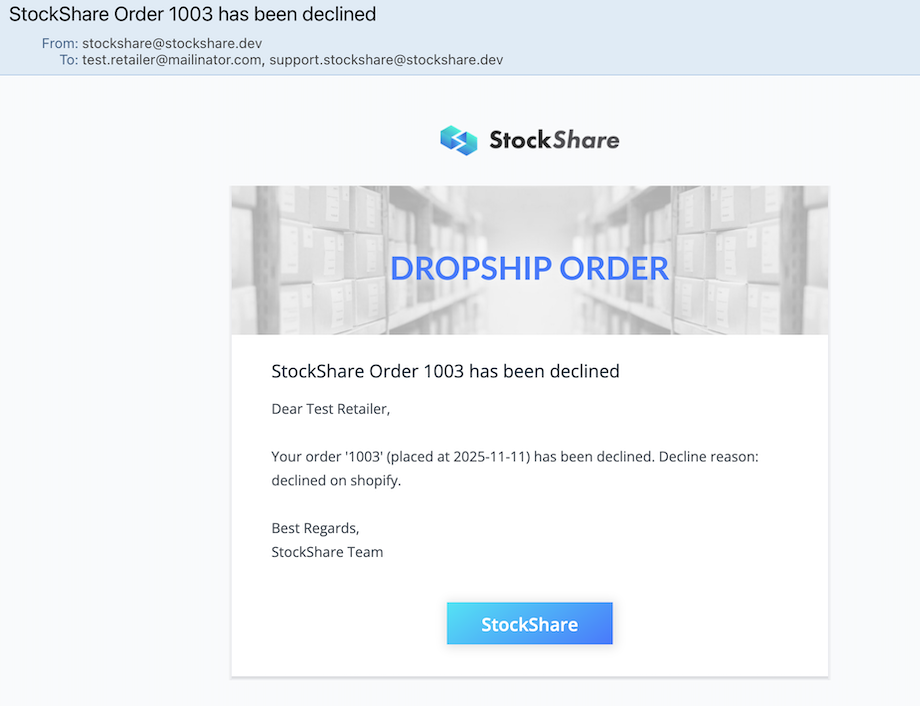
At the same time an email is sent to the retailer.
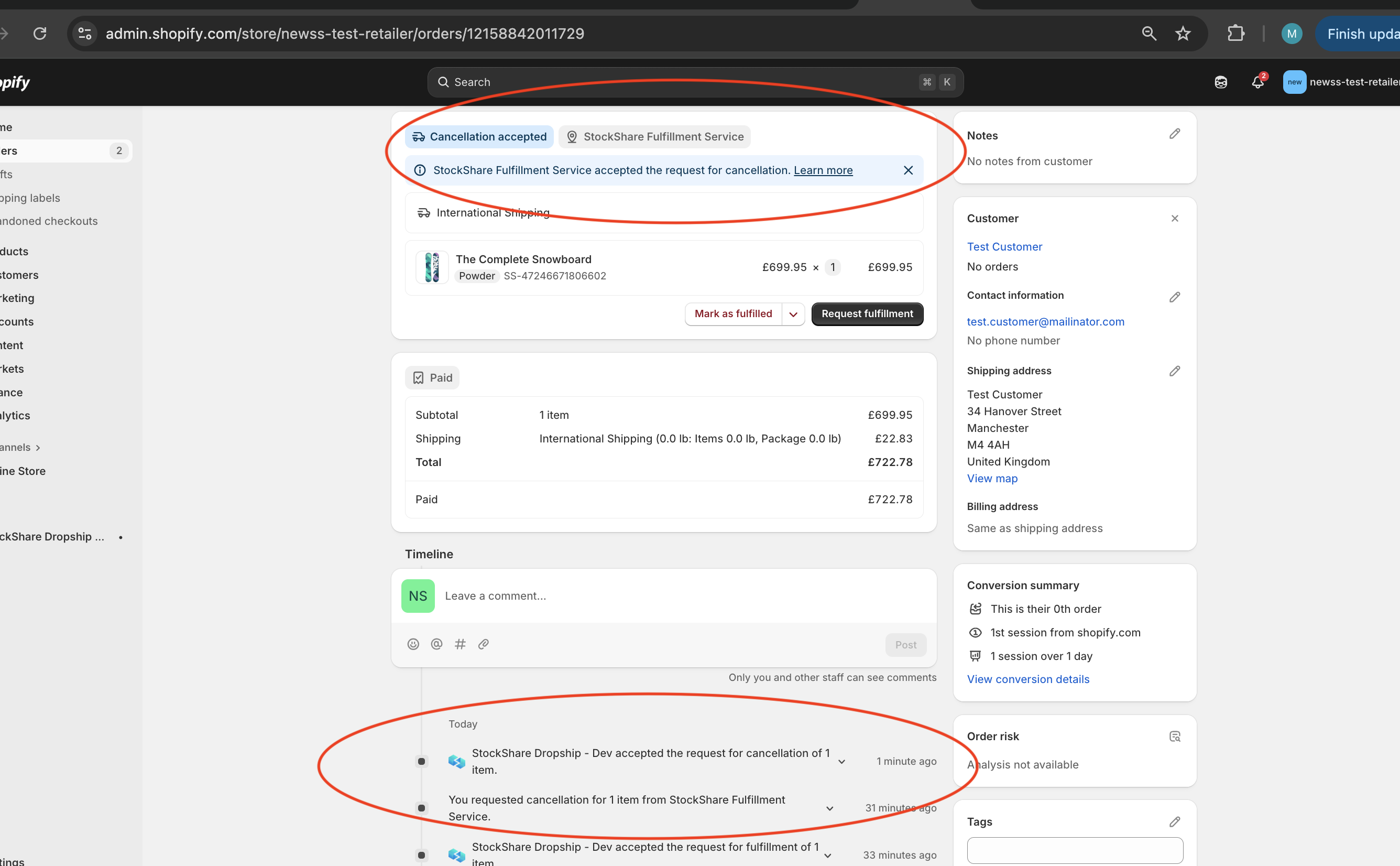
The retailer can then accept the cancellation request in their Shopify portal and proceed to refund the customer.
Cancelling one product in an order with multiple products process:
1. Go to your Shopify Admin and click on Orders.
2. Click on the order you want to change.
3. Click the Edit button at the top right of the order details page (if the item is unfulfilled), or click Refund if you need to process financial adjustments directly.
4. Remove the unwanted product or reduce its quantity to zero.
5. Select whether to restock the item back into your inventory.
6. Then the same process as above follows, the Supplier will receive this cancellation request and cancel in their Shopify.
Was this article helpful?
That’s Great!
Thank you for your feedback
Sorry! We couldn't be helpful
Thank you for your feedback
Feedback sent
We appreciate your effort and will try to fix the article