For orders that have not processed in your StockShare account due to credit card decline, below are the steps to ensure the reprocessing of the order with suppliers.
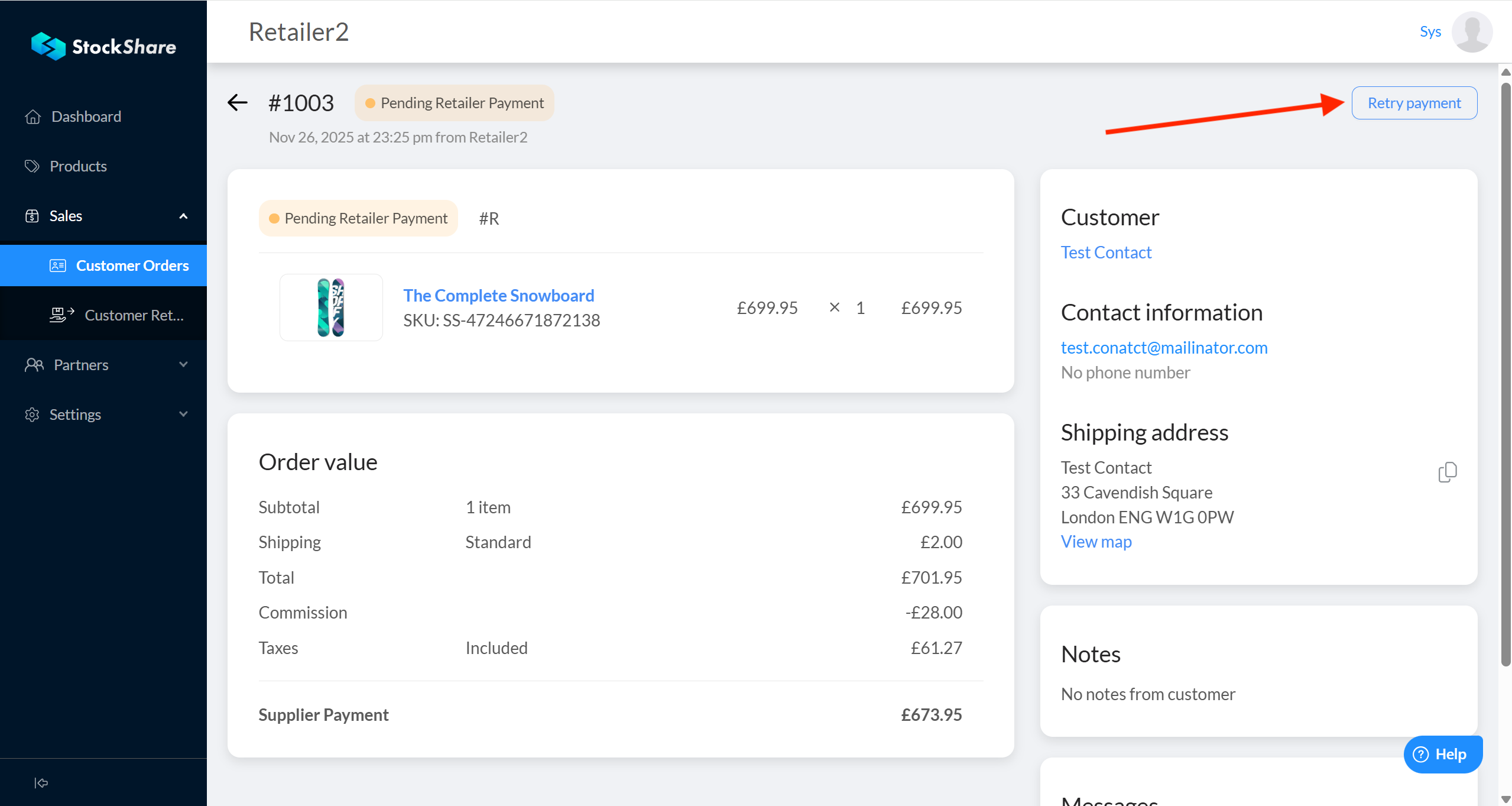
- If the order has failed to take Retailer payment, there will be a button on the order page to retry payment:
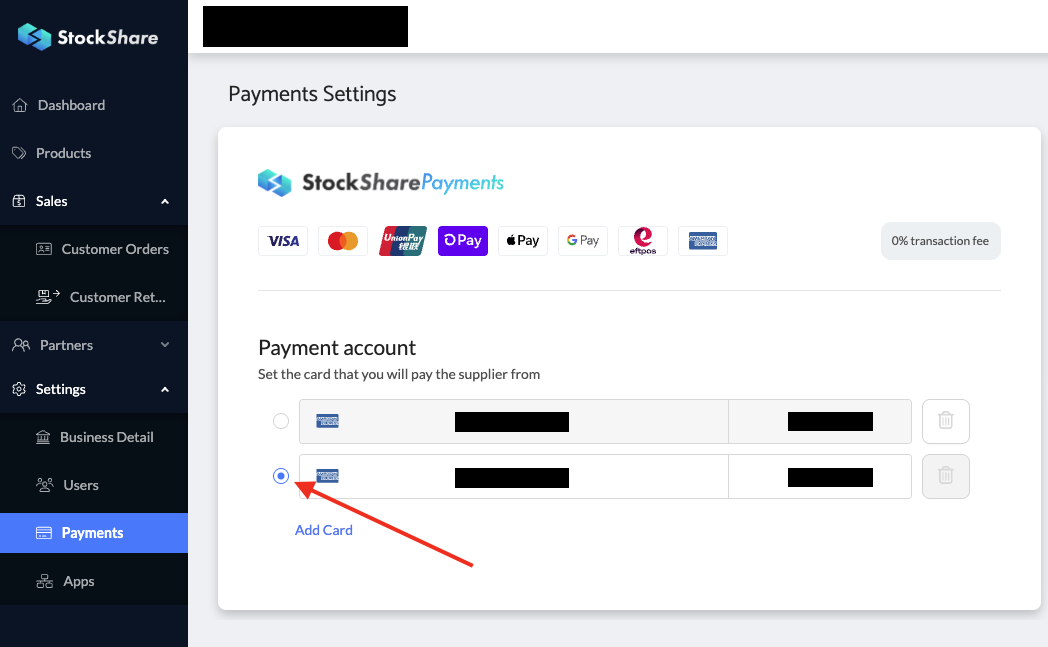
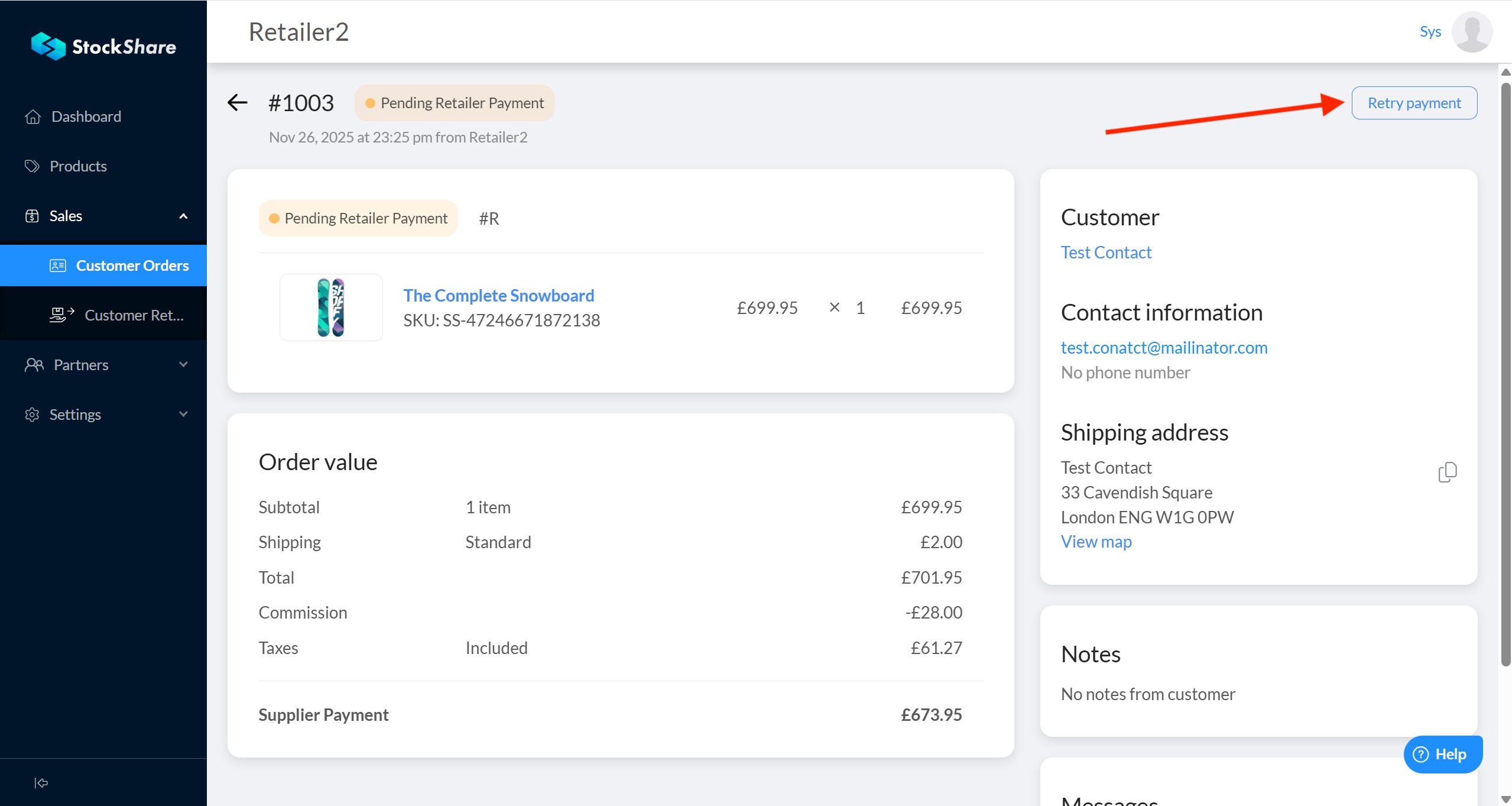
- If you have two credit cards linked in your StockShare account (how to access your credit cards), StockShare only uses the one that was selected. To retry payment with the second credit card, you firstly have to select it on the configuration page and then retry payment on the order page:
Configuration page:
Order page:
- Note: During 24 hours, the system will try to process the payment automatically multiple times before cancelling the order.
Was this article helpful?
That’s Great!
Thank you for your feedback
Sorry! We couldn't be helpful
Thank you for your feedback
Feedback sent
We appreciate your effort and will try to fix the article